How to Follow Up Client Requests Without Dropped Balls
Learn how to follow up client requests with an agency system that captures, routes, owns, and closes work without dropped balls.
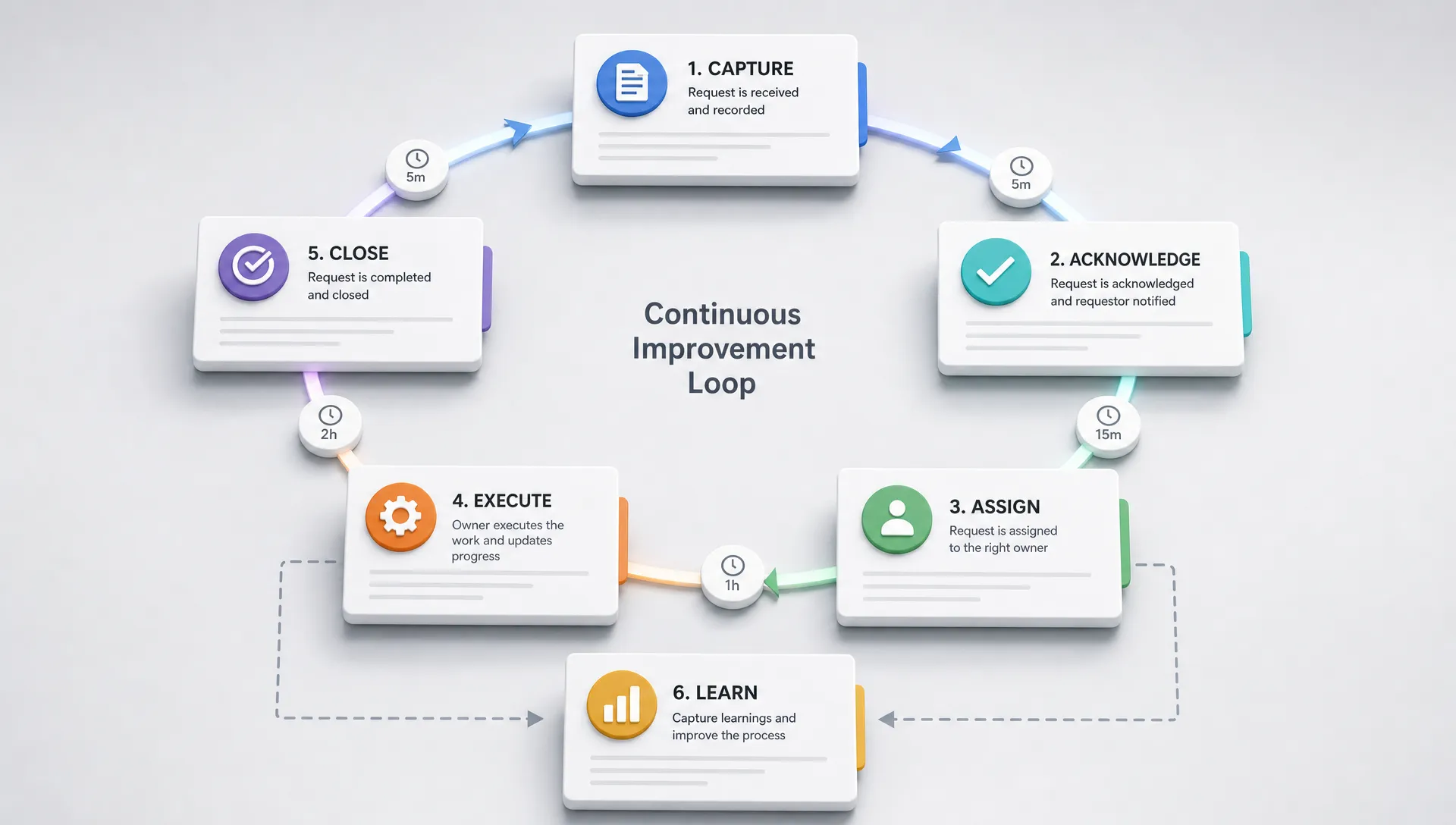
Client requests rarely disappear in one dramatic failure. They disappear in the gap between an email reply, a Slack thread, a call note, a project board, and someone's memory.
For a B2B marketing agency, that gap is expensive. One unanswered question turns into a delayed launch. One unassigned edit turns into after-hours rework. One unclear status update turns into a client wondering whether your team is actually in control.
To follow up client requests without dropped balls, you do not need more heroic account managers. You need an operating rhythm that makes every request visible, owned, time-bound, and closed. The goal is simple: no client should have to ask twice for the same thing because your internal system lost the first ask.
Why client requests get dropped in agencies
Most dropped balls are not caused by lazy teams. They are caused by work moving through channels that were never designed to manage work.
A client sends a request in a meeting. The account manager says they will handle it. A specialist sees a related Slack message and assumes the AM owns it. The strategist has context but no task. The request is not in the project board because it felt too small to formalize. Three days later, the client asks for an update, and everyone starts reconstructing what happened.
That pattern is one of the clearest signs that client service has outgrown informal coordination. As covered in Archer Scaling AI's breakdown of why agency clients notice broken ops before you do, clients often feel operational friction before leadership sees it in a dashboard.
Common causes include:
- Too many entry points: Requests arrive through email, Slack, calls, comments, forms, CRM notes, and shared docs.
- No conversion step: A message is acknowledged, but it never becomes a tracked task or decision.
- Assumed ownership: The person who saw the request first is treated as the owner, even if they cannot actually resolve it.
- Vague urgency: Everything feels important, so the team reacts to the loudest client instead of the highest-risk item.
- No closure ritual: The work gets done, but nobody confirms the outcome, logs the decision, or updates the client.
The fix is not to ban clients from using normal communication channels. The fix is to build a request follow-up loop that captures work from those channels and moves it through a consistent path.
Define what counts as a client request
Before you can follow up client requests reliably, your team needs a shared definition of what a request is.
A client request is any client input that requires an answer, action, decision, approval, asset, investigation, or change to the current plan. Not every message is a request. A thank-you note, general reaction, or FYI may not need follow-up. But the moment a client asks, flags, changes, questions, approves, rejects, or escalates something, it needs a record.
This distinction matters because teams often treat small asks as conversation, not work. That is where the first dropped ball happens.
| Client input | Is it a request? | What should happen next |
|---|---|---|
| Can we change the CTA on this landing page? | Yes | Capture, assign owner, confirm timeline, update task |
| FYI, our CEO may join next week's call | Maybe | Log context if it affects prep or stakeholder management |
| Why did CPL increase last week? | Yes | Route to performance owner, set response deadline |
| Looks good to me | Yes, if approval was needed | Record approval and move the work forward |
| Thanks for the update | No | No task needed unless it contains a new ask |
| We are unhappy with the lead quality | Yes | Escalate, investigate, set next update time |
A useful rule: if a client would reasonably expect a response, status update, or action, treat it as a request until proven otherwise.
The request follow-up loop
A good client request system is tool-agnostic. You can run it in a project management platform, CRM, shared inbox, ticketing system, or AI-assisted workflow. The important part is the sequence.
| Stage | What must happen | Dropped-ball risk if skipped |
|---|---|---|
| Capture | The request is recorded from the original channel | The team relies on memory or inbox search |
| Classify | The request type, urgency, and scope are identified | Everything becomes equally urgent |
| Acknowledge | The client receives confirmation and expectation setting | The client wonders whether anyone saw it |
| Assign | One accountable owner is named | Multiple people assume someone else has it |
| Execute | The owner moves the work forward or gets the answer | The task stalls in an internal handoff |
| QA | The response or deliverable is checked before sending | Speed creates errors, rework, or confusion |
| Close | The client gets a clear final update | Finished work still feels unfinished |
| Learn | Repeated requests are reviewed for root causes | The same request keeps returning every month |
This loop turns client follow-up from a personality trait into an operational asset. Your best account manager may naturally do this in their head. The agency needs the system to do it when that person is sick, busy, promoted, or managing twice as many accounts.
Capture requests without forcing clients to behave perfectly
Many agencies try to solve follow-up by telling clients to use one perfect channel. That can help, but it rarely works by itself. Clients will still reply to emails, mention things on calls, add comments in docs, and send urgent notes to the person they trust most.
Your system should accept reality. Let clients communicate naturally, then create an internal capture layer that standardizes what happens next.
The lesson is not limited to agencies. Service businesses often reduce confusion by organizing common problems in a way customers can understand before they ask for help. Local resource hubs like the PHX Appliance Fix Blog group practical issues by topic, which is a useful reminder that intake gets easier when information is structured around the customer's problem, not the company's org chart.
For agencies, that means every client-facing channel needs a capture rule. Meeting notes must produce tasks. Client Slack messages must be reviewed and converted when needed. Email requests must be tagged or forwarded into the work system. Comments inside documents need owners and due dates, not just emoji reactions.
This is especially important during kickoff. If new clients learn in week one that requests can be scattered across random channels, they will keep using that pattern. A cleaner start is to design intake into your early delivery process, which is why scalable marketing agency client onboarding should include request rules, response expectations, and ownership paths.
A strong capture layer answers four questions:
- Where did the request originate? Keep the source visible so context is not lost.
- What is the client actually asking for? Rewrite vague asks into actionable language.
- Who owns the next move? Assign one accountable person, not a department.
- When will the client hear back? Set a response or update time, even if the solution is not ready.
Acknowledge fast, solve later
One of the biggest follow-up mistakes is waiting to respond until you have the final answer. That feels efficient internally, but it creates anxiety externally.
Clients do not always need the solution immediately. They need to know the request was seen, understood, and routed. A fast acknowledgement buys time, protects trust, and reduces duplicate pings.
The acknowledgement should not be vague. It should confirm the ask, name the next step, and set a realistic update window.
| Request type | Weak acknowledgement | Strong acknowledgement |
|---|---|---|
| Performance question | We will look into it | We are checking last week's CPL movement against spend, targeting, and conversion rate. We will send a readout by Thursday afternoon. |
| Creative edit | Got it | Got it. Maya owns the edit to the headline and CTA. We will send the revised version for review tomorrow. |
| Technical issue | Let me ask the team | We are routing this to ops now. We will confirm whether it is a tracking issue or a platform sync issue by end of day. |
| Scope change | Sure, we can discuss | This may affect scope and timeline, so I am logging it for review. I will come back with options before we make the change. |
Notice the difference. The strong version does not overpromise. It simply makes the invisible work visible.
Route by decision rights, not who saw it first
In many agencies, the person closest to the client becomes the default owner for every request. That is a margin killer. Account managers should own communication and coordination, but they should not become the bottleneck for every technical answer, creative edit, performance investigation, or scope decision.
A better system routes by decision rights. The owner should be the person who can move the request to the next meaningful state.
| Request category | Accountable owner | Communication owner | Escalation trigger |
|---|---|---|---|
| Campaign performance question | Strategist or paid media lead | Account manager | Client dissatisfaction, major budget impact, repeated issue |
| Copy or creative revision | Creative lead or content owner | Account manager | Scope creep, brand conflict, urgent deadline |
| CRM or tracking problem | Marketing ops or technical owner | Account manager | Data integrity risk, launch blocker, revenue reporting issue |
| New deliverable request | Account lead | Account manager | Out-of-scope work, unclear business priority |
| Approval or asset delay | Account manager | Account manager | Timeline risk, multiple missed client deadlines |
| Executive complaint | Agency lead or senior account lead | Senior relationship owner | Retention risk, commercial issue, repeated failure |
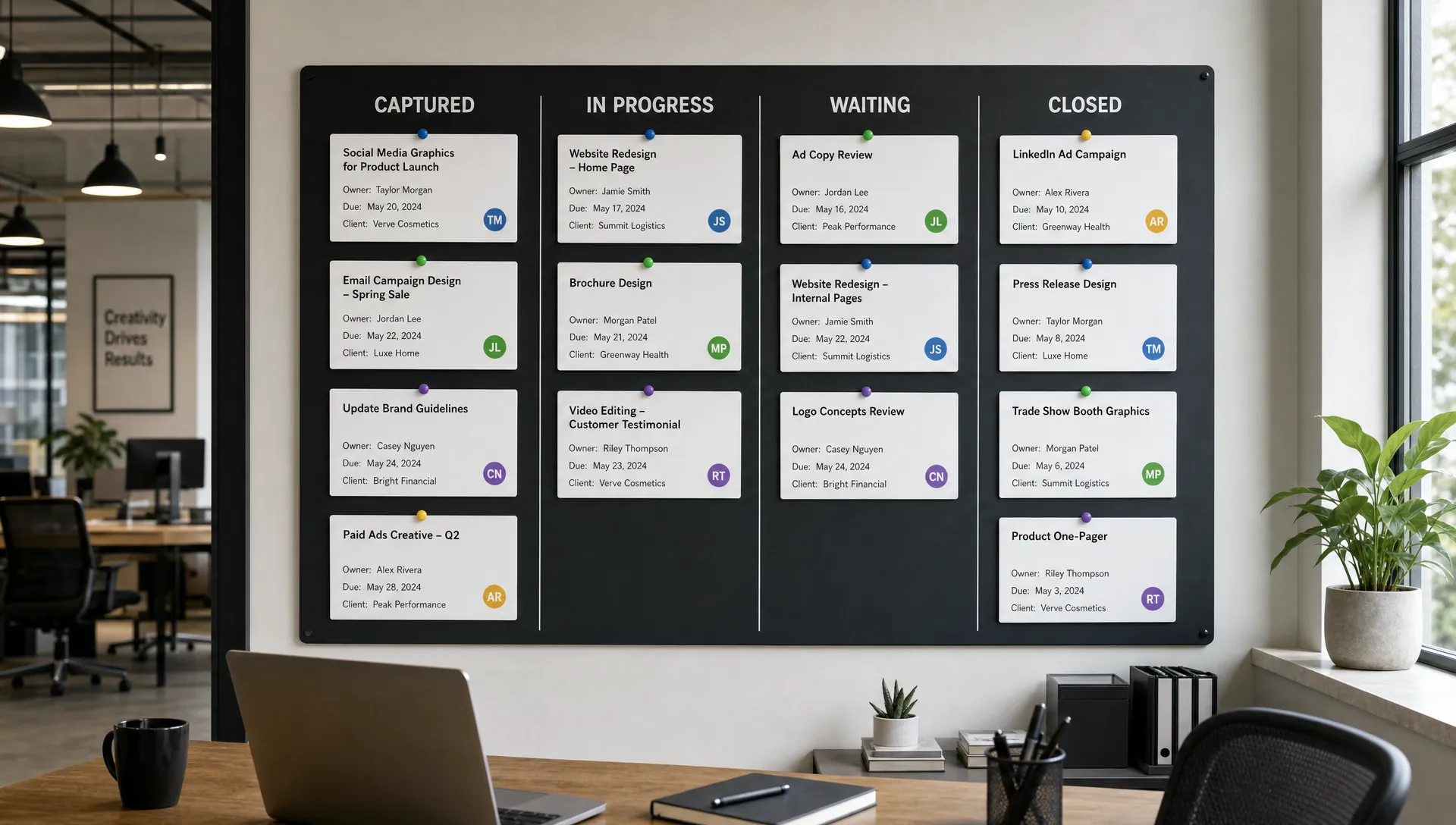
This matrix does not need to be complicated. It just needs to be explicit enough that requests stop bouncing between people who are polite, busy, and unsure.
Use AI and automation for the handoffs, not the relationship
AI should not replace judgment in client follow-up. It should remove the repetitive handoff work that causes requests to slip.
The most useful automations are usually operational, not flashy. For example, AI can summarize a long client email into a clean task description. A workflow can create a project ticket when a client message is tagged as a request. A reminder can ping the owner before the promised update time. A weekly review can surface requests that were reopened, delayed, or never closed.
This aligns with a broader agency principle: the first work to systemize is often the manual coordination layer, not the strategic work clients pay you for. Archer Scaling AI explains this in more depth in its guide on what B2B marketing teams should never do by hand.
Good automation for client requests usually supports these actions:
- Convert tagged emails or messages into structured tasks.
- Detect unanswered client questions in meeting transcripts or inboxes.
- Suggest request categories based on language and account context.
- Create due dates from service expectations or promised update times.
- Send internal reminders before the client has to ask again.
- Draft status updates for human review.
- Log closed requests for account history and renewal context.
The human still owns tone, judgment, prioritization, and relationship risk. Automation simply makes it harder for a request to vanish in the cracks.
Run a daily client request control routine
A system only works if someone looks at it. For most agencies, a short daily review is enough.
This does not need to be a long meeting. It can be a 10-minute async check or a short standup by the client success and delivery leads. The point is to inspect the queue before clients do.
| Daily question | Why it matters |
|---|---|
| Which new requests do not have an owner? | Ownership gaps are the first sign of a future dropped ball |
| Which requests are due for a client update today? | Updates prevent duplicate pings and anxiety |
| Which requests are blocked by the client? | Waiting items need clear client-side next steps |
| Which requests are blocked internally? | Internal blockers need escalation before deadlines slip |
| Which requests are overdue? | Overdue items need a recovery message and new commitment |
| Which closed requests need to be logged as decisions? | Decision history prevents repeat debates later |
The review should end with clear next actions, not just awareness. If a request is overdue, someone sends the client an update. If ownership is missing, someone gets assigned. If scope is unclear, the account lead makes the call.
Use status updates that close loops
Status updates often create more confusion because they are too vague. Phrases like working on it, checking internally, or circling back soon may be friendly, but they do not reduce uncertainty.
A useful status update includes the current state, the next action, the owner, and the next update time.
Received and routed
We received your request about the reporting discrepancy. Jordan is checking the CRM sync and ad platform numbers now. We will send an update by 3 pm ET today, even if the final fix needs more time.
In progress
Quick update: the creative revisions are in progress. The headline and CTA edits are complete, and the design team is updating the layout now. We are still on track to send the revised version tomorrow.
Waiting on client
We are ready to move this forward once we receive the final product screenshots. If you can send those by Thursday, we can keep the launch timeline intact.
Done and closed
This is complete. The revised landing page copy has been added to the working doc, and the approved CTA is now reflected in the launch checklist. Unless you see anything else, we will treat this request as closed.
The final sentence matters. Closed means closed. Without that closure, clients may keep mentally tracking the item as unresolved.
Track the health of your follow-up system
You do not need a complex analytics dashboard to manage client request follow-up. You need a few operational signals that show whether the system is improving.
Avoid using metrics as a punishment tool. The goal is not to shame account managers. The goal is to identify where the process fails under real workload.
| Metric | What it reveals | How to interpret it |
|---|---|---|
| First acknowledgement time | How quickly clients know they were heard | Long delays usually mean inbox or channel monitoring is weak |
| Time to owner | How quickly requests become accountable | Slow assignment points to unclear routing rules |
| Aging open requests | Which items are sitting too long | Old items need escalation, client update, or closure |
| Overdue promised updates | Whether the team keeps communication commitments | Missed updates are trust leaks, even if work is progressing |
| Reopened requests | Whether closure was incomplete or quality was weak | A high reopen rate often signals rushed responses or unclear definitions |
| Repeat request themes | What clients keep asking about | Repetition may indicate poor reporting, weak onboarding, or unclear strategy |
Set baselines for your agency instead of copying someone else's targets. A technical ABM agency, a content production shop, and a paid media team will have different request volumes and complexity. What matters is whether your follow-up reliability improves over time.
A practical 30-day rollout
If your agency is currently operating from inboxes and memory, do not try to build the perfect client request system in one weekend. Start with a simple rollout that changes behavior quickly.
| Timeframe | Focus | Output |
|---|---|---|
| Week 1 | Map request sources and failure points | List of channels, common request types, and recent dropped balls |
| Week 2 | Define capture and ownership rules | Request categories, owners, escalation triggers, and acknowledgement standards |
| Week 3 | Build the minimum workflow | Shared queue, task creation process, status fields, and reminder rhythm |
| Week 4 | Review, automate, and tighten | Daily control routine, recurring issue review, and first automation opportunities |
The first version can be simple. A shared board with consistent fields is better than a sophisticated tool nobody trusts. Once the workflow is stable, automation becomes safer because it is reinforcing a process that already makes sense.
Mistakes to avoid
The biggest mistake is treating follow-up as a communication problem only. Better messages help, but they cannot compensate for unclear ownership, missing tasks, or unmanaged scope.
Another mistake is over-automating too early. If your routing rules are unclear, automation will simply move confusion faster. Standardize the path first, then automate the repeatable parts.
Agencies also get into trouble when they hide delays until they have good news. Clients can handle bad news better than silence. If a request is delayed, say so early, explain the next step, and recommit to a realistic update time.
Finally, do not let every client define the system differently. Some customization is normal, especially for enterprise accounts. But if every client has a completely different follow-up process, your team will burn margin trying to remember exceptions.
Frequently Asked Questions
How quickly should an agency follow up client requests? The best standard is to acknowledge quickly, then solve on the right timeline. Many requests can be acknowledged the same business day, even if the answer or deliverable takes longer. The acknowledgement should confirm ownership and the next update time.
Should every client request become a task? If the request requires action, a decision, an answer, an approval, or a future update, yes. If it is purely informational, it may only need to be logged as context. The key is not to leave judgment calls trapped in someone's inbox.
What is the best tool for tracking client requests? The best tool is the one your team will consistently use. A project management platform, CRM, ticketing queue, or shared inbox can all work if they support ownership, status, due dates, source context, and closure.
Can AI handle client follow-up automatically? AI can help summarize, classify, route, remind, and draft responses. A human should still review relationship-sensitive communication, scope changes, escalations, and strategic answers.
How do you stop clients from sending requests in too many places? Set clear expectations during onboarding, reinforce the preferred channels, and still maintain an internal capture layer for requests that arrive elsewhere. The system should guide client behavior without depending on perfect compliance.
Stop letting client requests leak margin
Dropped balls are not just service issues. They are margin leaks. Every missed request creates rework, interrupts specialists, pulls leaders into avoidable escalation, and teaches clients to manage your team more closely.
Archer Scaling AI helps B2B marketing agencies install and run the AI ops layer behind cleaner delivery. That includes the workflows agencies often struggle to maintain manually, such as onboarding, reporting, CRM updates, follow-up, routing, SOPs, and client communication handoffs.
If client requests are getting lost between channels, start with the paid Margin Teardown. You get a roadmap and three automation moves, or it is on Archer Scaling AI. The goal is not another tool sitting unused. The goal is a live system your agency can see working before you commit.