AI in B2B Marketing Workflows That Actually Save Time
AI in B2B marketing can save agency hours. Learn which workflows to automate, what to avoid and how to protect delivery margin.
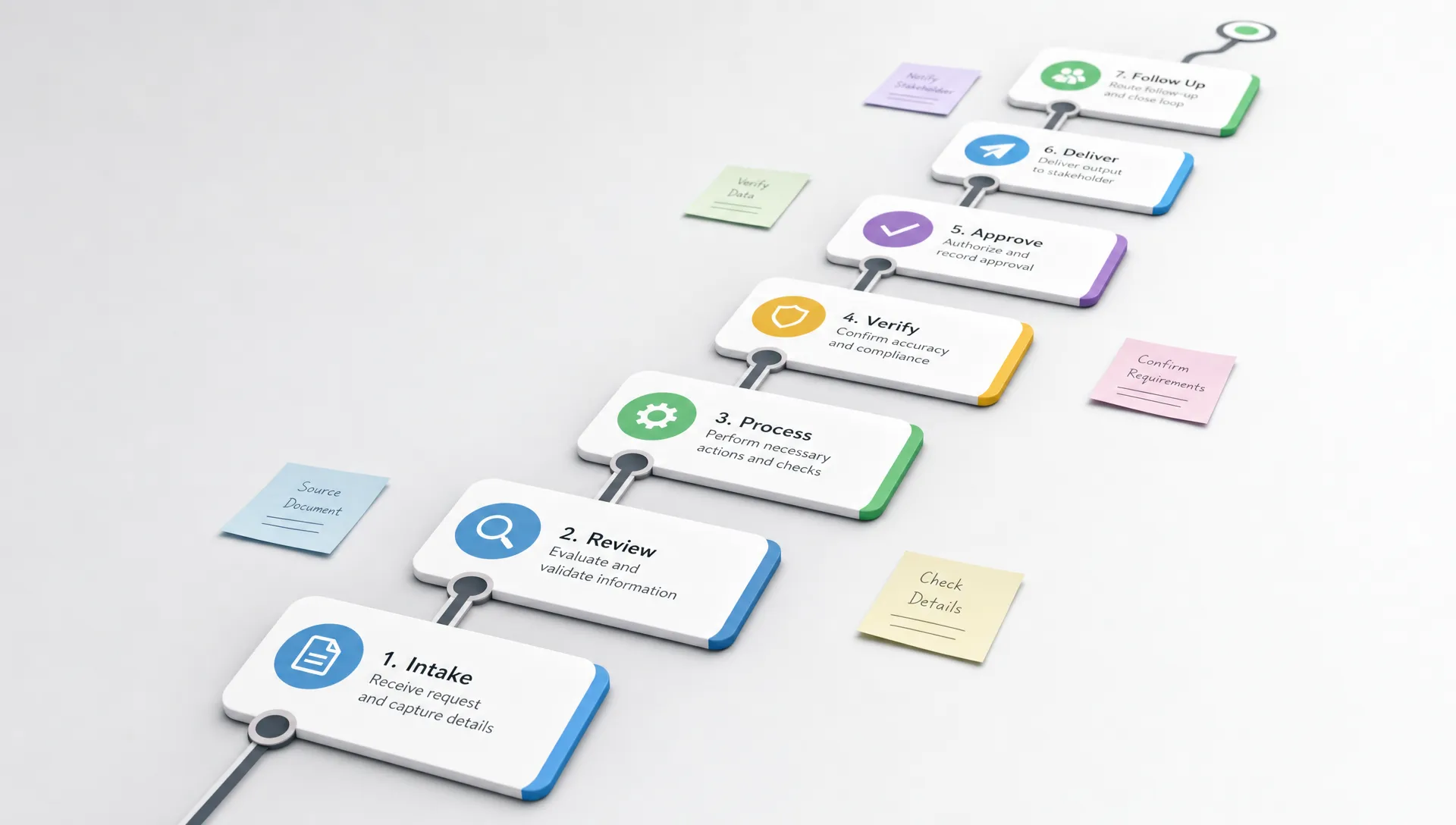
Most agency AI experiments do not save time. They create faster drafts, more tabs and a new layer of QA. The team still chases missing client context, rebuilds the same reporting slide, rewrites briefs from scratch and manually moves leads through the CRM.
The problem is not AI. The problem is applying AI to isolated tasks instead of the workflow around them.
For B2B marketing agencies, the best use of AI is not a clever prompt library. It is an operations layer that captures inputs, standardizes decisions, routes work and prepares outputs for human review. When AI in B2B marketing is designed this way, it reduces the work people were never hired to do in the first place: formatting, copying, summarizing, checking, chasing and re-entering data.
What actually counts as saving time?
A workflow saves time when it reduces the total effort required to deliver an approved client outcome. That sounds obvious, but many AI projects only reduce one visible task while increasing hidden labor somewhere else.
For example, an AI tool that drafts a blog post in two minutes may look efficient. If the strategist then spends 90 minutes correcting the positioning, adding missing source material and reformatting it into the agency template, the workflow did not really save time. It just moved the work downstream.
A real time-saving workflow improves at least one of these areas:
- Less rework because the brief is clearer before production starts
- Less manual admin because information moves automatically between tools
- Less context switching because the next action is routed to the right owner
- Less QA burden because checks are built into the process
- Less client chasing because missing inputs are requested early and consistently
This is why AI belongs inside agency operations, not beside them. If you are trying to improve delivery margin, start with the recurring handoffs that slow work down. Archer Scaling AI has a deeper breakdown of how agencies can improve delivery efficiency by standardizing work before automating it in this guide to B2B marketing delivery efficiency.
The workflow test: should AI touch this process?
Not every marketing activity should be automated. Some work needs senior judgment, client nuance or strategic taste. The best candidates are repeatable processes with predictable inputs and a clear definition of done.
Use this simple test before adding AI to a workflow.
| Workflow question | Good sign | Warning sign |
|---|---|---|
| Does the work repeat every week or month? | The same steps happen across clients | Every case is custom and strategic |
| Are the inputs predictable? | Intake forms, call transcripts, CRM fields or reports exist | The team starts from scattered context each time |
| Can the output be reviewed quickly? | A human can approve, edit or reject the result | Errors are hard to detect until the client sees them |
| Does the task drain margin? | It consumes coordinator, strategist or account manager time | It is rare or already inexpensive |
| Is the risk manageable? | AI prepares, routes or summarizes | AI makes final strategic decisions alone |
A good AI workflow does not remove the expert. It gives the expert a cleaner starting point, a shorter review cycle and fewer admin tasks around the decision.
B2B marketing workflows where AI reliably saves time
Client intake to delivery brief
Client onboarding is full of repetitive translation work. Account managers collect forms, sales notes, contracts, call recordings, brand materials and stakeholder preferences. Then someone turns that messy set of inputs into a brief the delivery team can use.
AI can save time by summarizing onboarding calls, extracting key constraints, flagging missing assets and drafting a structured internal brief. The human reviewer still confirms the strategy, but the blank-page work disappears.
The workflow should not stop at summarization. It should also create tasks, route missing questions to the client owner and store approved context where the team can reuse it. This is where agencies start to feel the time savings, because the same client information no longer has to be rediscovered by every copywriter, media buyer or designer.
Research synthesis for complex B2B offers
B2B research often involves dense websites, sales decks, customer interviews, technical product notes and competitor positioning. AI is useful here because it can compress raw material into usable patterns.
An agency marketing a specialized business, such as a custom apparel development and production partner, may need to understand production, sourcing, pattern development, certifications and buyer concerns before writing a campaign. AI can help organize those inputs into audience pains, proof points, objections and messaging angles. The strategist still decides which insight matters, but the first pass is no longer a manual scavenger hunt.
This is especially valuable for agencies serving multiple technical or niche B2B categories. AI does not need to be the subject-matter expert. It needs to make the expert review faster.
Voice-of-customer mining
Sales calls, support notes, review sites and interview transcripts are rich with messaging material, but teams rarely have time to mine them consistently. AI can scan these sources for repeated phrases, objections, trigger events and buying committee concerns.
The best workflow is structured. Feed AI approved source material, ask it to categorize themes and require citations back to the original transcript or note. That prevents generic messaging and makes review easier.
Voice-of-customer mining saves time because it reduces the number of strategy meetings based on opinions. Instead of asking the team what they think buyers care about, you can bring organized evidence into the positioning discussion.
Reporting narratives and variance explanations
Monthly reporting can consume hours even when the data is already available. The slow part is rarely pulling numbers. It is explaining what changed, why it matters and what the team recommends next.
AI can draft first-pass narratives from cleaned performance data, campaign notes and prior month commentary. It can identify metric changes, group related issues and prepare account managers with talking points.
The key is to automate around approved metric definitions. If each account manager defines qualified lead, conversion or influenced pipeline differently, AI will only produce faster confusion. For ad-heavy teams, the same logic applies to QA. Naming conventions, UTM rules and reporting templates should be standardized before automation enters the process.
CRM follow-up and lead routing
Warm leads often stall because the next step is unclear. Someone fills out a form, replies to an email, attends a webinar or engages with a campaign, then the signal sits in a tool until a human notices it.
AI can help classify lead intent, summarize recent activity and recommend the next action based on agreed rules. Automation can then route the lead to sales, create a follow-up task or alert the account owner.
This saves time for both marketing and sales because it reduces manual checking. It also protects revenue opportunities that would otherwise disappear into the CRM. If your team still relies on people to inspect every lead record by hand, the article on B2B marketing tasks teams should never do manually is a useful companion.
Content repurposing with guardrails
Content repurposing is one of the most obvious uses of AI, but it is also one of the easiest to do badly. Turning a webinar into a blog post, LinkedIn sequence and nurture email can save hours. Turning it into generic filler creates more editing work.
The workflow should start with approved source material and a clear content map. AI can extract the strongest points, suggest derivative assets, draft channel-specific versions and check whether each output supports the intended buyer stage. A human still owns the argument, examples and final voice.
What should stay human?
The point of AI in B2B marketing is not to make agencies less strategic. It is to stop strategic people from spending so much time on operational drag.
Keep humans in charge of decisions where context, taste, risk or client trust matter. AI can prepare options, but it should not be the final owner of positioning, brand claims, offer strategy or sensitive client communication.
| Work area | AI role | Human role |
|---|---|---|
| Positioning | Summarize inputs and surface patterns | Choose the strategic angle |
| Content | Draft from approved context | Refine argument, voice and examples |
| Reporting | Explain variance and prepare notes | Decide recommendations and client message |
| Lead follow-up | Classify signals and route tasks | Own relationship and sales judgment |
| QA | Check against rules and templates | Approve exceptions and final delivery |
This split is what makes AI useful in agency environments. The system handles repetition and preparation. The team handles judgment.
How to implement AI workflows without creating chaos
Many agencies make the same mistake: they buy a tool, invite the team and hope time savings appear. That usually creates inconsistent usage and more cleanup work.
A better rollout starts with one high-friction workflow. Choose something that happens often, has clear inputs and has a visible cost when it breaks. Client onboarding, reporting prep, research synthesis and lead routing are usually strong candidates.
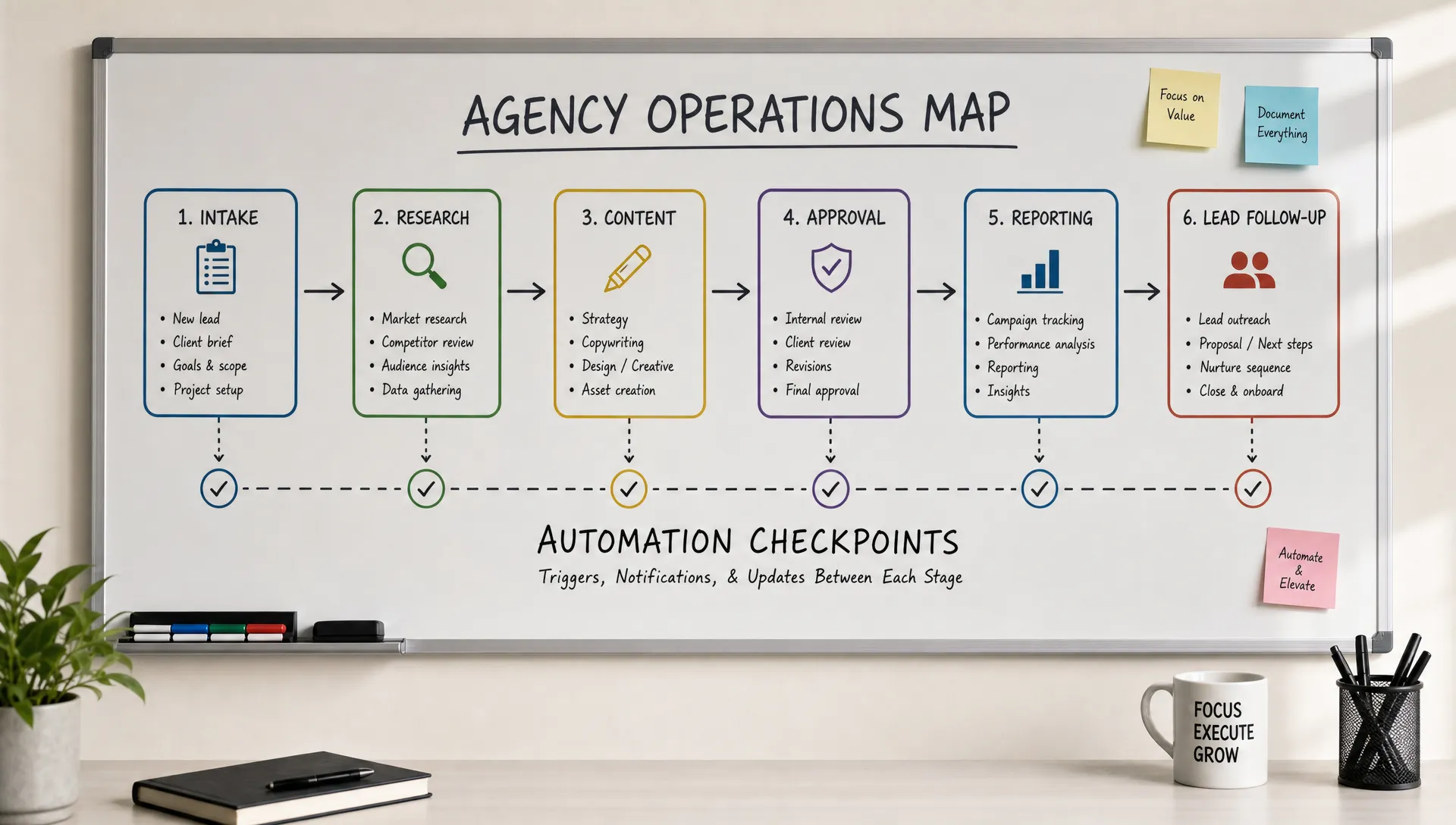
Map the workflow before building anything. Identify where information enters, who touches it, what decisions are made and where work gets stuck. Then remove unnecessary steps before adding AI. Automating a messy process usually makes the mess move faster.
Once the workflow is mapped, define the human review point. Every useful AI system needs a clear approval step. The question is not whether a person reviews the work, but when they review it and what they are reviewing for.
Documentation matters too. If only one person understands the automation, the agency has created a new bottleneck. A useful AI ops layer should include plain-language documentation so the team knows what the system does, where to intervene and how to maintain quality.
Metrics that prove AI is saving time
If AI is working, the evidence should show up in operational metrics, not just employee enthusiasm. Track the before and after for a specific workflow.
| Metric | What it tells you | Example improvement to look for |
|---|---|---|
| Cycle time | How long work takes from intake to approved output | Fewer days between onboarding and first deliverable |
| Touch count | How many people or handoffs are required | Fewer manual passes before delivery |
| Rework rate | How often work comes back for avoidable fixes | Fewer revisions caused by missing context |
| Admin hours | Time spent formatting, copying, routing or chasing | Fewer non-strategic hours per client |
| QA defects | Errors caught before or after client review | Fewer naming, data or template mistakes |
| Delivery margin | Profitability of the service line | More output without equivalent labor growth |
The most important metric is not how many AI tasks run. It is whether the agency can deliver the same or better client outcomes with less operational waste. That is the difference between adopting AI and improving the business.
A practical 30-day rollout plan
Days 1 to 7: find the margin leak
Start by interviewing the people closest to delivery. Ask where work gets repeated, where client context goes missing and which tasks feel necessary but low value. Compare those answers with actual time logs, project delays or revision patterns.
You are looking for one workflow with enough volume to matter. A process that saves 20 minutes once a quarter is not the right starting point. A process that saves 45 minutes across 30 clients every month is.
Days 8 to 14: standardize the input
AI needs consistent input to produce useful output. Create or clean the intake form, reporting template, transcript format, CRM field or campaign brief. This step is not glamorous, but it is usually where the time savings are won.
If the inputs stay messy, the team will spend time correcting AI output. If the inputs are structured, the system can produce work that is easier to review.
Days 15 to 21: build the reviewable output
Design the AI output for the person who reviews it. A strategist may need a brief with source notes and open questions. An account manager may need report commentary with metric changes and recommended talking points. A sales owner may need a lead summary with the next best action.
Do not ask AI to create a final masterpiece. Ask it to create a strong review draft that fits the agency process.
Days 22 to 30: measure and refine
Run the workflow on real client work, then compare cycle time, review time and rework against the old process. Capture what the reviewer changed. Those edits become the next version of the workflow rules.
This is also the point where agencies decide whether to expand. If one workflow produces clear time savings, move to the next related handoff. If it does not, fix the inputs, review criteria or workflow design before adding more automation.
For agencies trying to grow without increasing payroll, this operating discipline matters more than any single AI tool. Archer Scaling AI covers the broader agency model in its guide to scaling marketing without adding headcount.
Frequently Asked Questions
Where should a B2B marketing agency start with AI workflows? Start with a recurring workflow that drains delivery time and has clear inputs, such as onboarding, reporting prep, CRM follow-up or research synthesis. Avoid starting with broad creative work unless your briefs and review standards are already consistent.
Can AI replace account managers or strategists? AI should not replace the judgment, client trust and strategic decision-making those roles provide. It is better used to prepare briefs, summarize information, route tasks, draft first-pass materials and reduce manual admin around their work.
How do you avoid generic AI content in B2B marketing? Use approved source material, voice-of-customer data, client positioning and clear review criteria. Generic output usually comes from generic inputs. The workflow should require AI to work from real context, not broad assumptions.
How do you know if AI is improving delivery margin? Track operational metrics before and after implementation. Look at cycle time, admin hours, rework, QA defects and service-line margin. If those do not improve, the workflow needs redesign before it scales.
Build workflows that remove the work your team should not be doing
AI saves time when it is installed into the way work moves through the agency. It should capture context once, prepare reviewable outputs, route next steps and protect quality with clear checkpoints.
If you want help finding the workflows that are costing margin before you automate them, Archer Scaling AI starts with a paid, risk-reversed Margin Teardown: a roadmap and three automation moves, or it is on me. From there, the work can move into build and managed automation with documentation that keeps the system understandable instead of turning it into another black box.